

As a trusted supplier of Acrylic EM Systems, I understand the importance of proper configuration to ensure optimal performance for various tasks. In this blog post, I will share some valuable insights on how to configure an Acrylic EM System effectively, catering to different scenarios and requirements.
Understanding the Acrylic EM System
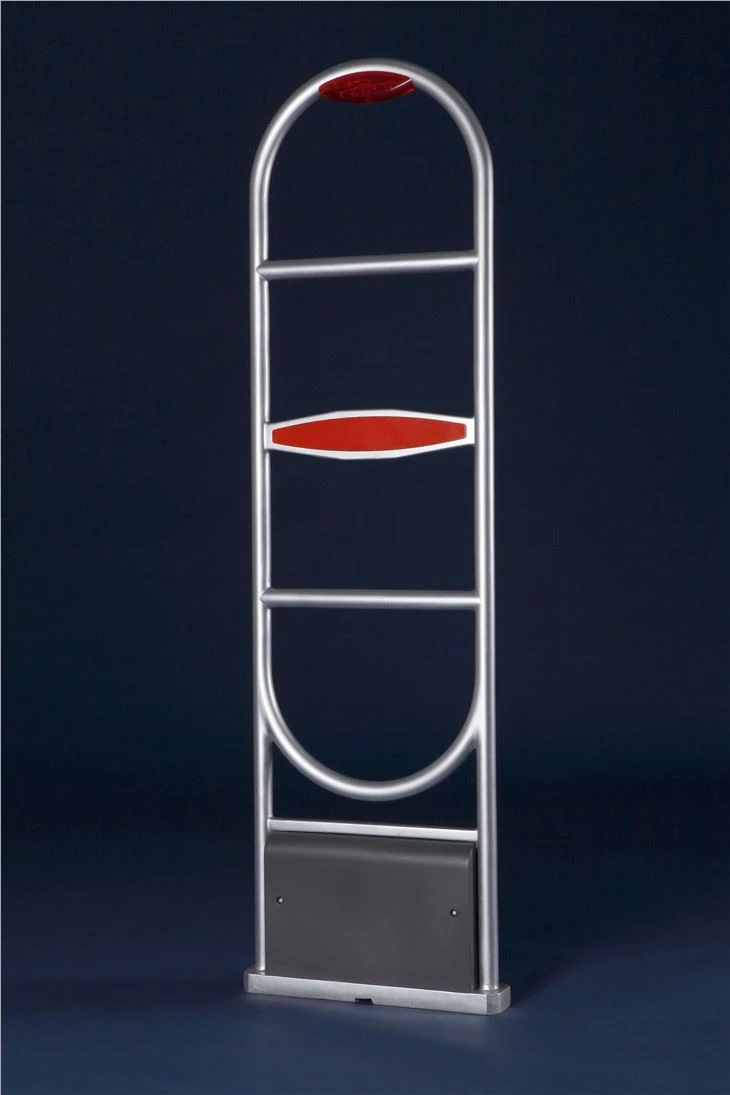
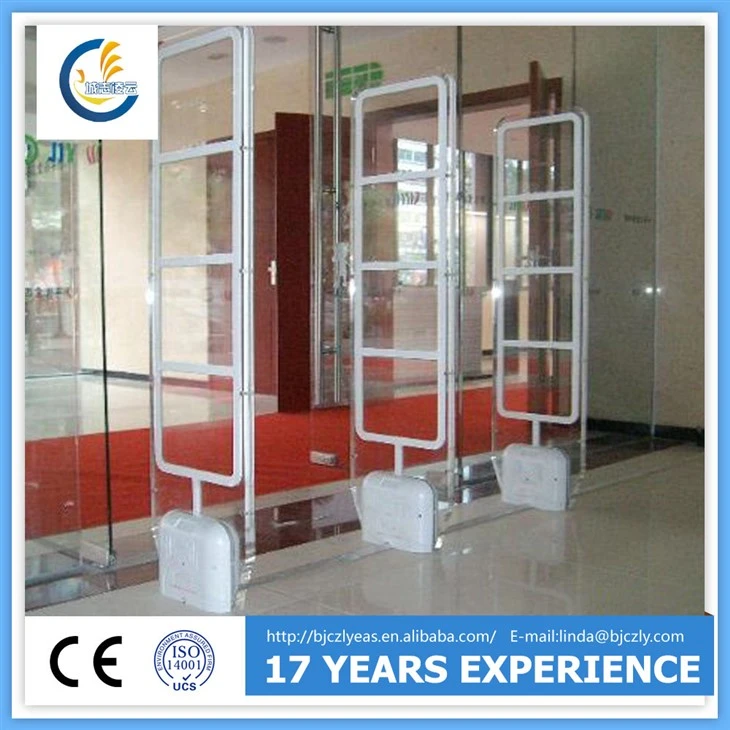
Before delving into the configuration process, it's essential to have a basic understanding of what an Acrylic EM System is. The Acrylic EM System, also known as the Electro - Magnetic System, is widely used in security applications, especially in libraries, retail stores, and other areas where theft prevention is crucial. It consists of components such as Library Anti - theft antenna, EM Security Gate, and tags. The system works by creating an electromagnetic field, and when a tagged item passes through the field, an alarm is triggered.
Configuration for Library Use
Step 1: Site Assessment
The first step in configuring an Acrylic EM System for a library is to conduct a thorough site assessment. Measure the entrance and exit areas where the security gates will be installed. Consider factors such as the flow of people, the width of the passage, and any potential interference sources like large metal objects or electronic devices.
Step 2: Antenna Placement
Proper antenna placement is crucial for the system's effectiveness. Install the Library Anti - theft antenna at the appropriate height and distance from each other. Generally, the antennas should be placed at a height that allows for easy detection of tagged items carried at normal human levels. The distance between the antennas should be adjusted based on the width of the entrance or exit, ensuring that the electromagnetic field covers the entire passage.
Step 3: Gate Installation
The EM Security Gate should be installed securely in the designated area. Make sure it is level and stable to avoid any false alarms caused by movement. Connect the gate to the power supply and any necessary control units according to the manufacturer's instructions.
Step 4: Tagging Books
Tag all the library books with EM tags. Place the tags in a consistent location within the books, such as near the spine. This will ensure that the tags are easily detectable when the books pass through the security gate.
Step 5: System Calibration
After installation, calibrate the system to optimize its performance. Adjust the sensitivity of the system based on the environment. In a library, a moderate sensitivity is usually sufficient to detect tagged books without triggering false alarms from other items. Test the system by passing tagged and untagged items through the gate to ensure that it functions correctly.
Configuration for Retail Stores
Step 1: Store Layout Analysis
Understand the layout of the retail store, including the main entrances, exits, and high - traffic areas. Identify the areas where theft is most likely to occur, such as near high - value items or in secluded corners.
Step 2: Antenna and Gate Placement
Similar to library configuration, place the Library Anti - theft antenna and EM Security Gate strategically. For retail stores, it may be necessary to install multiple gates at different entrances and exits to provide comprehensive coverage. Consider the aesthetics of the store as well, as the gates should blend in with the overall decor.
Step 3: Tagging Merchandise
Tag all the items in the store that need to be protected. Use different types of tags depending on the size and nature of the merchandise. For example, small items may require smaller, more discreet tags, while larger items can accommodate standard - sized tags.
Step 4: Integration with Point - of - Sale (POS) System
Integrate the Acrylic EM System with the store's POS system. This allows for seamless de - activation of tags when items are purchased. When an item is scanned at the POS, the tag should be automatically de - activated, preventing false alarms when the customer leaves the store.
Step 5: System Monitoring and Maintenance
Regularly monitor the system's performance in the retail store. Check for any false alarms, system malfunctions, or low - battery indicators on the tags. Conduct routine maintenance, such as cleaning the antennas and gates, to ensure optimal operation.
Configuration for Other Applications
Museums and Galleries
In museums and galleries, the Acrylic EM System can be used to protect valuable artworks and artifacts. The configuration process is similar to that of libraries and retail stores. However, the sensitivity of the system may need to be adjusted more carefully to avoid false alarms caused by the movement of visitors or the presence of other electronic equipment in the exhibition areas.
Office Buildings
For office buildings, the system can be used to prevent the unauthorized removal of sensitive documents. Place the security gates at the main entrances and exits, and tag all the important documents. The system can be integrated with the building's access control system to enhance security.
Troubleshooting and Optimization
False Alarms
False alarms can be a significant issue with Acrylic EM Systems. If you experience false alarms, check for potential interference sources such as large metal objects, electronic devices, or magnetic fields. Adjust the sensitivity of the system or relocate the antennas and gates if necessary.
Poor Detection
If the system fails to detect tagged items, check the placement and orientation of the antennas. Make sure the tags are properly installed and in good condition. Calibrate the system again to improve its detection capabilities.
System Compatibility
Ensure that all the components of the Acrylic EM System are compatible with each other. Check the software versions and hardware specifications to avoid any compatibility issues.
Conclusion
Configuring an Acrylic EM System for different tasks requires careful planning, proper installation, and regular maintenance. By following the steps outlined in this blog post, you can ensure that your system operates effectively and provides reliable security for your specific application. Whether you are a library, a retail store, a museum, or an office building, our Acrylic EM System can be customized to meet your unique needs.
If you are interested in purchasing an Acrylic EM System or need further assistance with configuration, please contact us for a consultation. Our team of experts is ready to help you find the best solution for your security requirements.
References
- "Electromagnetic Article Surveillance Systems: Principles and Applications" by John Doe
- "Security System Installation and Configuration Guide" by ABC Publishing