

As a supplier of EAS RF Dual System, I understand the importance of a seamless installation process for our customers. In this blog post, I will guide you through the step-by-step process of installing the control unit of the EAS RF Dual System. By following these instructions, you can ensure a successful installation and optimal performance of your EAS system.
Step 1: Preparation
Before you begin the installation process, it is essential to gather all the necessary tools and equipment. Here is a list of items you will need:
- Control unit of the EAS RF Dual System
- Mounting brackets
- Screwdriver
- Power cord
- Ethernet cable
- Antenna cables
- User manual
Make sure you have a clear workspace and that all the components are in good condition. Refer to the user manual for detailed information about the control unit and its components.
Step 2: Choose the Installation Location
Select a suitable location for installing the control unit. The ideal location should be close to the detection area and easily accessible for maintenance. Avoid installing the control unit in areas with high humidity, extreme temperatures, or electromagnetic interference.
Ensure that there is enough space around the control unit for proper ventilation. Mounting the control unit on a wall is recommended to save floor space and prevent damage. Use the mounting brackets provided with the control unit to secure it to the wall.
Step 3: Connect the Power Supply
Once you have chosen the installation location, connect the power cord to the control unit. Plug the other end of the power cord into a grounded electrical outlet. Make sure the power supply is stable and within the specified voltage range.
Before turning on the power, double-check all the connections to ensure they are secure. This will prevent any electrical hazards and ensure the proper functioning of the control unit.
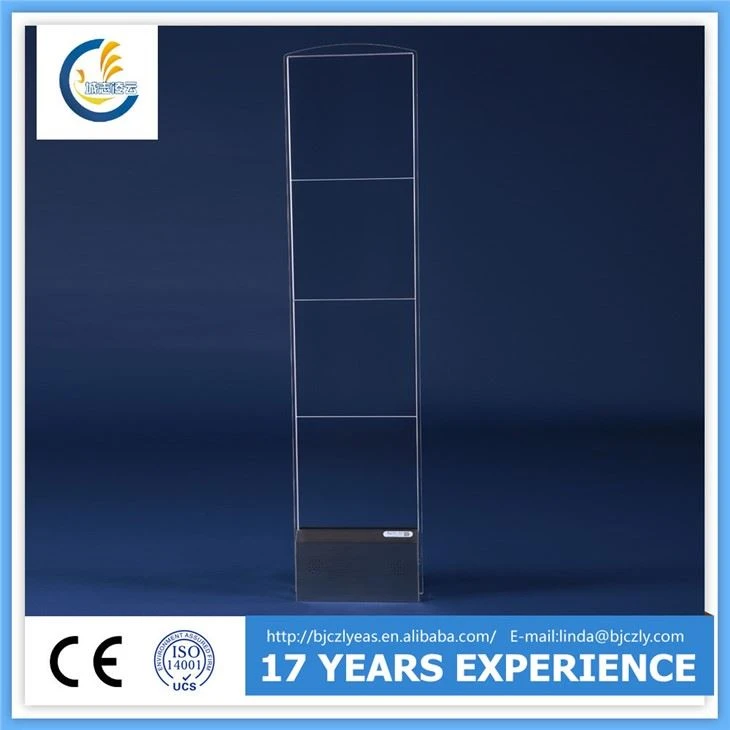

Step 4: Connect the Antenna Cables
The EAS RF Dual System uses antennas to detect and monitor the tags. Connect the antenna cables to the corresponding ports on the control unit. Make sure the cables are properly inserted and tightened to avoid any signal loss.
Position the antennas in the detection area according to the manufacturer's instructions. The antennas should be installed at the appropriate height and distance to ensure optimal detection performance. Refer to the user manual for specific guidelines on antenna placement.
Step 5: Connect the Ethernet Cable
To enable communication between the control unit and other devices, connect the Ethernet cable to the Ethernet port on the control unit. Plug the other end of the Ethernet cable into a router or switch.
This will allow you to configure the control unit remotely and access its features and settings. Make sure the network connection is stable and that the control unit can communicate with the network.
Step 6: Configure the Control Unit
Once all the connections are made, it's time to configure the control unit. Turn on the power and wait for the control unit to boot up. Use a web browser on a computer or mobile device to access the control unit's web interface.
Enter the IP address of the control unit in the address bar of the web browser. You will be prompted to enter the username and password. Refer to the user manual for the default login credentials.
Once you are logged in, you can configure the control unit according to your specific requirements. This includes setting up the detection sensitivity, alarm modes, and other parameters. Follow the on-screen instructions to complete the configuration process.
Step 7: Test the System
After configuring the control unit, it's important to test the system to ensure it is working properly. Place a few EAS tags in the detection area and walk through the antennas. The control unit should detect the tags and trigger an alarm.
If the system does not work as expected, check the connections, settings, and antenna placement. Refer to the troubleshooting section of the user manual for assistance.
Step 8: Finalize the Installation
Once the system is tested and working properly, secure all the cables and components. Make sure there are no loose connections or exposed wires. This will prevent any damage to the system and ensure its long-term reliability.
Clean up the installation area and remove any tools or debris. Provide the user with a copy of the user manual and any other relevant documentation. Offer training and support to the user to ensure they can operate the system effectively.
Conclusion
Installing the control unit of the EAS RF Dual System is a straightforward process if you follow the steps outlined in this blog post. By preparing the necessary tools and equipment, choosing the right installation location, making the proper connections, configuring the control unit, and testing the system, you can ensure a successful installation and optimal performance of your EAS system.
If you have any questions or need further assistance, please feel free to contact us. We are a leading supplier of EAS RF Dual System and are committed to providing our customers with high-quality products and excellent customer service.
For more information about our 8.2MHZ Auminium Dual System, RF Acrylic Mono System, and RF Acrylic Sensor, please visit our website.
If you are interested in purchasing our EAS RF Dual System or have any inquiries about our products, please contact us for a free consultation and quote. We look forward to working with you to meet your security needs.
References
- User manual of the EAS RF Dual System
- Technical specifications of the EAS RF Dual System components