

Hey there! As a supplier of the EAS RF Mono System, I'm super stoked to share with you how to operate this awesome system in a museum. It's a game - changer when it comes to protecting precious artifacts and ensuring a smooth visitor experience.
Getting to Know the EAS RF Mono System
First things first, let's understand what the EAS RF Mono System is all about. This system uses radio - frequency (RF) technology to detect unauthorized removal of tagged items. In a museum setting, these tagged items are usually the valuable artifacts. The main components you'll be dealing with are the sensors and the antennas.
The RF Acrylic Sensor is a key part of the setup. It's designed to be discreet and can be placed in strategic locations around the museum. These sensors are highly sensitive and can pick up the RF signals emitted by the tags on the artifacts. The RF 8.2Mhz aluminum MONO antenna is another crucial element. It works in tandem with the sensors to create a detection field.
Installation
Installing the EAS RF Mono System in a museum requires careful planning. You need to consider the layout of the museum, the location of the artifacts, and the flow of visitors.
- Sensor Placement: Start by identifying the areas where the most valuable artifacts are displayed. Place the RF Acrylic Sensors near these displays. Make sure they are hidden from plain sight but still have a clear line of sight to the tagged items. You don't want visitors to be distracted by the sensors, but you also need them to function effectively.
- Antenna Setup: The RF 8.2Mhz aluminum MONO antennas should be installed at the exits of the museum galleries. They need to be positioned at the right height and angle to create a strong and consistent detection field. You may need to do some testing to find the optimal placement. For example, if the antenna is too low, it might not detect items carried at waist - level. If it's too high, it could miss items carried close to the ground.
Tagging the Artifacts
Once the system is installed, it's time to tag the artifacts. This is a delicate process because you don't want to damage the precious items.
- Choose the Right Tags: There are different types of RF tags available, and you need to select the ones that are suitable for the artifacts. Some tags are small and can be attached discreetly, while others are more robust for larger items.
- Proper Attachment: Attach the tags to the artifacts in a way that won't cause any harm. For example, you can use non - adhesive methods for delicate items or attach the tags to parts of the artifact that are less visible. Make sure the tags are firmly attached so they don't fall off during normal handling or display.
System Configuration
After tagging the artifacts, you need to configure the EAS RF Mono System.

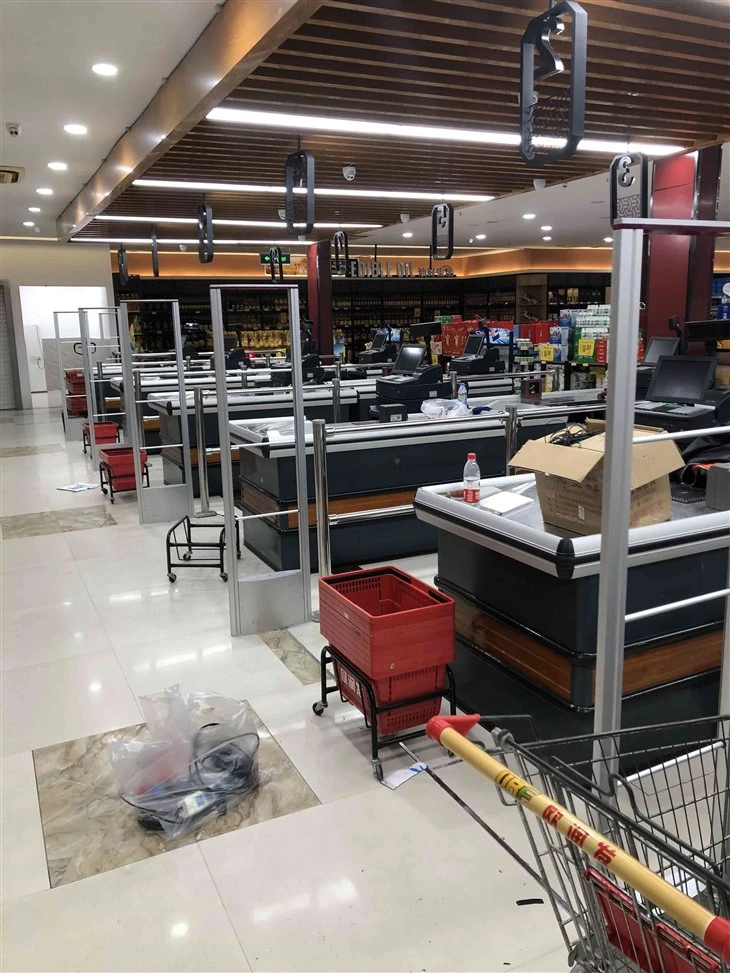
- Sensitivity Settings: Adjust the sensitivity of the sensors and antennas according to the environment. In a museum, there might be a lot of background noise from electronic devices, so you need to set the sensitivity high enough to detect the tagged items but low enough to avoid false alarms.
- Alarm Settings: Decide how the system will alert you when an unauthorized removal is detected. You can choose between audible alarms, visual alerts, or both. You can also configure the system to send notifications to your mobile device or security console.
Training the Staff
It's essential to train the museum staff on how to operate the EAS RF Mono System.
- System Overview: Provide an overview of how the system works, including the installation, tagging, and configuration processes. Make sure they understand the importance of the system in protecting the artifacts.
- Troubleshooting: Teach the staff how to troubleshoot common issues, such as false alarms or sensor malfunctions. They should know how to check the system status, reset the sensors, and contact technical support if needed.
Maintenance
Regular maintenance is crucial to keep the EAS RF Mono System running smoothly.
- Sensor Checks: Periodically check the RF Acrylic Sensors for any signs of damage or malfunction. Clean them if necessary to ensure optimal performance.
- Antenna Inspections: Inspect the RF 8.2Mhz aluminum MONO antennas for any physical damage or loose connections. Make sure they are still properly positioned and calibrated.
- Tag Replacement: Replace the RF tags on the artifacts as needed. Over time, the tags may lose their effectiveness, so it's important to keep them in good condition.
Dealing with False Alarms
False alarms can be a nuisance in a museum setting. They can disrupt the visitor experience and waste the staff's time.
- Identify the Causes: Analyze the situations when false alarms occur. It could be due to interference from other electronic devices, improper sensor placement, or damaged tags.
- Take Corrective Actions: Once you've identified the causes, take the necessary steps to fix them. For example, you can move the sensors to a different location, shield them from interference, or replace the damaged tags.
Monitoring and Evaluation
Continuously monitor the performance of the EAS RF Mono System.
- Track Incidents: Keep a record of all the detections and false alarms. Analyze the data to identify any trends or areas for improvement.
- System Upgrades: Based on your monitoring and evaluation, consider upgrading the system if necessary. Newer technologies may offer better performance, higher sensitivity, or more advanced features.
Conclusion
Operating the EAS RF Mono System in a museum is a multi - step process that requires careful planning, installation, configuration, and maintenance. By following these steps, you can ensure that your museum's precious artifacts are well - protected. If you're interested in learning more about our EAS RF Mono System or are thinking about purchasing one for your museum, I'd love to have a chat with you. Just reach out, and we can start the procurement and negotiation process together.
References
- Museum Security Best Practices Handbook
- Radio - Frequency Identification (RFID) and Electronic Article Surveillance (EAS) Technology Guides