

As a supplier of RF Deactivators, I understand the importance of protecting these devices from damage. RF Deactivators are crucial tools in the retail industry, used to deactivate security tags on merchandise at the point of sale. Ensuring their proper functioning and longevity is essential for both retailers and suppliers like us. In this blog post, I will share some valuable tips on how to protect an RF Deactivator from damage.
Understanding the RF Deactivator
Before we delve into the protection methods, it's important to have a basic understanding of what an RF Deactivator is. RF, or Radio Frequency, Deactivators work by emitting a specific radio frequency signal that deactivates the security tags attached to products. These tags are typically used in Electronic Article Surveillance (EAS) systems to prevent shoplifting. There are different types of RF Deactivators available in the market, such as the EAS All-in-one Deactivator, 8.2 RF Soft Label Deactivator, and EAS Deactivator. Each type has its own features and specifications, but they all serve the same purpose of deactivating RF security tags.
Proper Installation and Placement
The first step in protecting an RF Deactivator is to ensure its proper installation and placement. When installing the deactivator, follow the manufacturer's instructions carefully. Make sure it is installed in a stable and secure location, away from sources of interference such as other electronic devices, metal objects, or strong magnetic fields. These factors can disrupt the radio frequency signal and affect the deactivator's performance.
Additionally, the deactivator should be placed in an area where it is easily accessible to the cashier or salesperson but out of reach of customers. This helps prevent accidental damage or tampering. Avoid placing the deactivator in high-traffic areas or near areas where it could be knocked over or bumped into.
Regular Cleaning and Maintenance
Regular cleaning and maintenance are essential for keeping an RF Deactivator in good working condition. Dust, dirt, and debris can accumulate on the deactivator's surface and inside its components, which can affect its performance. Use a soft, dry cloth to clean the exterior of the deactivator regularly. Avoid using abrasive cleaners or solvents, as these can damage the device's finish.
Inside the deactivator, there may be filters or vents that need to be cleaned periodically. Check the manufacturer's instructions for specific cleaning procedures. In some cases, you may need to use compressed air to blow out any dust or debris from the internal components.
It's also important to perform regular maintenance checks on the deactivator. This includes checking the power supply, cables, and connections for any signs of damage or wear. If you notice any issues, such as loose connections or frayed cables, replace them immediately to prevent further damage.
Protection from Physical Damage
RF Deactivators are delicate electronic devices that can be easily damaged by physical impact. To protect the deactivator from physical damage, use a protective case or cover. There are many different types of cases available on the market, ranging from simple plastic covers to more heavy-duty protective enclosures. Choose a case that is specifically designed for your RF Deactivator model and provides adequate protection.
In addition to using a case, train your employees on how to handle the deactivator properly. Teach them to avoid dropping, throwing, or hitting the device. Encourage them to use gentle handling techniques when operating the deactivator, such as placing items on the deactivator's surface carefully and avoiding excessive force.
Protection from Electrical Damage
Electrical damage is another common cause of RF Deactivator failure. To protect the deactivator from electrical damage, use a surge protector. A surge protector is a device that helps protect electronic equipment from power surges and voltage spikes. It works by diverting excess electrical energy to the ground, preventing it from reaching the deactivator and causing damage.

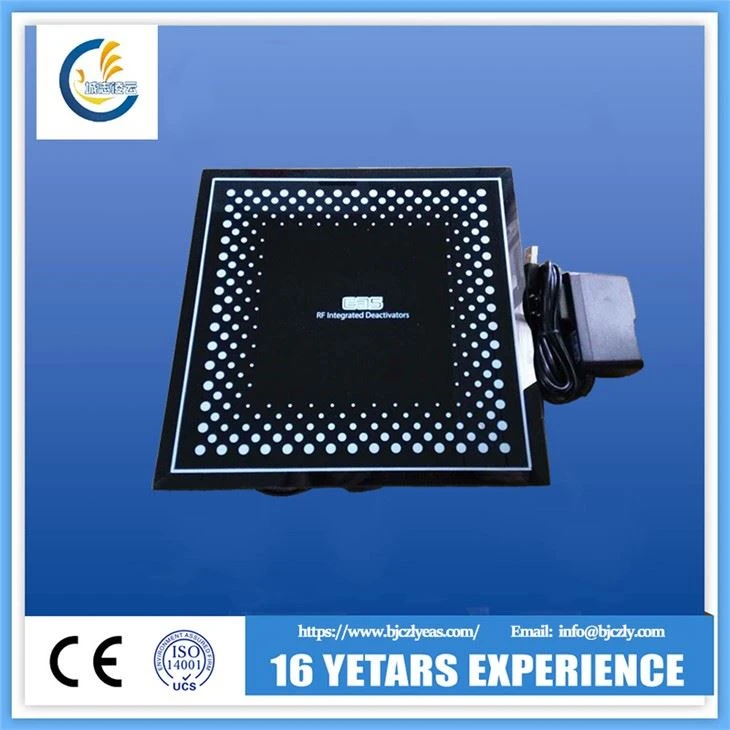
When using a surge protector, make sure it is properly rated for the power requirements of your RF Deactivator. Connect the deactivator to the surge protector using a high-quality power cable. Avoid using extension cords or power strips that are overloaded or damaged, as these can increase the risk of electrical damage.
It's also important to avoid exposing the deactivator to extreme temperatures or humidity. High temperatures can cause the deactivator's components to overheat and malfunction, while high humidity can cause corrosion and damage to the internal circuitry. Keep the deactivator in a cool, dry environment, and avoid placing it near sources of heat or moisture, such as heaters, air conditioners, or water pipes.
Training and Education
Proper training and education are essential for ensuring the correct use and protection of an RF Deactivator. Provide comprehensive training to your employees on how to operate the deactivator safely and effectively. This includes teaching them how to place items on the deactivator's surface correctly, how to read the deactivator's indicators, and how to troubleshoot common issues.
In addition to training on operation, also provide education on the importance of protecting the deactivator from damage. Teach your employees about the potential causes of damage and the steps they can take to prevent it. Encourage them to report any issues or concerns with the deactivator immediately so that they can be addressed promptly.
Monitoring and Testing
Regular monitoring and testing are important for detecting any potential issues with the RF Deactivator before they become major problems. Set up a schedule for monitoring the deactivator's performance, such as checking the deactivation rate and the accuracy of the indicators. If you notice any changes in the deactivator's performance, such as a decrease in the deactivation rate or incorrect indicator readings, investigate the issue immediately.
In addition to monitoring, also perform regular testing on the deactivator. Use test tags to check the deactivator's functionality and ensure that it is working properly. Follow the manufacturer's instructions for testing procedures and frequency. If the deactivator fails the test, have it repaired or replaced as soon as possible.
Conclusion
Protecting an RF Deactivator from damage is essential for ensuring its proper functioning and longevity. By following the tips outlined in this blog post, you can help extend the life of your RF Deactivator and reduce the risk of costly repairs or replacements. Remember to install the deactivator properly, perform regular cleaning and maintenance, protect it from physical and electrical damage, provide training and education to your employees, and monitor and test the deactivator regularly.
If you are in the market for an RF Deactivator or need further assistance with protecting your existing deactivator, please feel free to contact us. We are a leading supplier of RF Deactivators and can provide you with high-quality products and expert advice. Our team of professionals is dedicated to helping you find the best solution for your security needs. Contact us today to start a procurement discussion and take the first step towards enhancing your retail security.
References
- Manufacturer's instructions for RF Deactivators
- Industry best practices for electronic device protection
- Research on the effects of physical and electrical damage on RF Deactivators