

As a supplier of RF Dual System, I've seen firsthand how latency can be a real pain point for businesses. Latency in an RF Dual System refers to the delay between the moment a signal is sent and the moment it is received and processed. This delay can cause a range of issues, from inaccurate inventory tracking to security breaches. In this blog post, I'll share some tips on how to reduce the latency of the RF Dual System, based on my experience in the industry.
Understanding the Causes of Latency
Before we dive into the solutions, it's important to understand what causes latency in an RF Dual System. There are several factors that can contribute to latency, including:
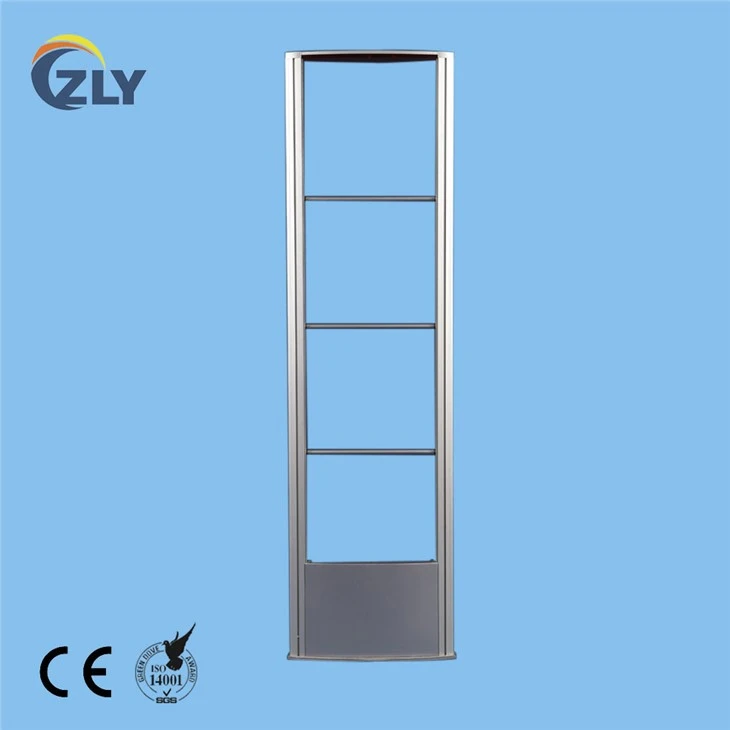
- Signal Interference: RF signals can be easily disrupted by other electromagnetic signals in the environment. This interference can cause the signal to weaken or become distorted, resulting in a delay in transmission.
- Distance: The farther the signal has to travel, the more time it takes to reach its destination. This is because the signal loses strength as it travels through the air, and it may need to be amplified or repeated along the way.
- Hardware Limitations: The quality and performance of the RF hardware can also affect latency. Older or low-quality hardware may not be able to process signals as quickly or efficiently as newer, high-quality hardware.
- Software Issues: The software used to manage the RF Dual System can also contribute to latency. If the software is outdated, buggy, or not optimized for the hardware, it can slow down the system and cause delays.
Tips for Reducing Latency
Now that we understand the causes of latency, let's look at some tips for reducing it in an RF Dual System:
1. Optimize the Signal Environment
- Minimize Interference: Identify and eliminate sources of electromagnetic interference in the environment. This may include moving other electronic devices away from the RF antennas, using shielded cables, and avoiding areas with high levels of electromagnetic activity.
- Choose the Right Frequency: Different frequencies have different characteristics, and some are more susceptible to interference than others. Consider using a frequency that is less crowded or has better propagation characteristics in your environment.
- Use Antenna Design: The design of the RF antennas can also affect the signal strength and quality. Choose antennas that are designed for your specific application and environment, and ensure that they are properly installed and calibrated.
2. Improve the Hardware
- Upgrade the Antennas: Older or low-quality antennas may not be able to transmit or receive signals as effectively as newer, high-quality antennas. Consider upgrading to antennas with a higher gain or a wider beamwidth to improve the signal strength and coverage.
- Use Signal Amplifiers: Signal amplifiers can boost the strength of the RF signals, allowing them to travel farther and reach more devices. However, be careful not to over-amplify the signals, as this can cause interference and other issues.
- Invest in High-Quality Hardware: The quality and performance of the RF hardware can have a significant impact on latency. Invest in high-quality routers, access points, and other devices that are designed for high-speed data transfer and low latency.
3. Optimize the Software
- Update the Firmware: The firmware on the RF hardware can be updated to improve its performance and fix bugs. Check the manufacturer's website regularly for firmware updates and install them as soon as they become available.
- Use Optimized Software: The software used to manage the RF Dual System can also be optimized for performance. Choose software that is designed to work with your specific hardware and environment, and configure it to minimize latency.
- Implement Quality of Service (QoS): QoS is a feature that allows you to prioritize certain types of traffic over others. By implementing QoS, you can ensure that critical data, such as inventory updates and security alerts, are transmitted quickly and reliably.
4. Reduce the Distance
- Install Repeaters: If the RF signals need to travel a long distance, consider installing repeaters to boost the signal strength and extend the coverage area. Repeaters can be used to bridge gaps between antennas or to cover large areas that are difficult to reach.
- Use a Mesh Network: A mesh network is a type of wireless network that uses multiple access points to create a connected network. By using a mesh network, you can reduce the distance between the devices and the access points, which can help to reduce latency.
Conclusion
Reducing the latency of the RF Dual System is essential for businesses that rely on accurate and timely data transfer. By understanding the causes of latency and implementing the tips outlined in this blog post, you can improve the performance of your RF Dual System and ensure that it operates smoothly and efficiently.
If you're interested in learning more about our RF Dual System or would like to discuss how we can help you reduce latency in your system, please don't hesitate to contact us for a EAS System RFDual Antenna Aluminum Alloy Material, Clothing Store Anti-theft RF System Gate or a RF 8.2MHZ Mono Security antenna. We'd be happy to provide you with more information and answer any questions you may have.
References
- Smith, J. (2020). RF Wireless Communication: Principles and Practice. McGraw-Hill Education.
- Lee, R. (2019). Wireless Communication Technology: A Comprehensive Guide. Wiley.
- Davis, M. (2018). RF Antenna Design: Theory and Practice. Artech House.