

The calibration process for an Acrylic AM System is a critical procedure that ensures the system functions accurately and efficiently. As a supplier of Acrylic AM Systems, I understand the importance of this process and its impact on the overall performance of the system. In this blog post, I will delve into the details of the calibration process, highlighting its significance and the steps involved.
Understanding the Acrylic AM System
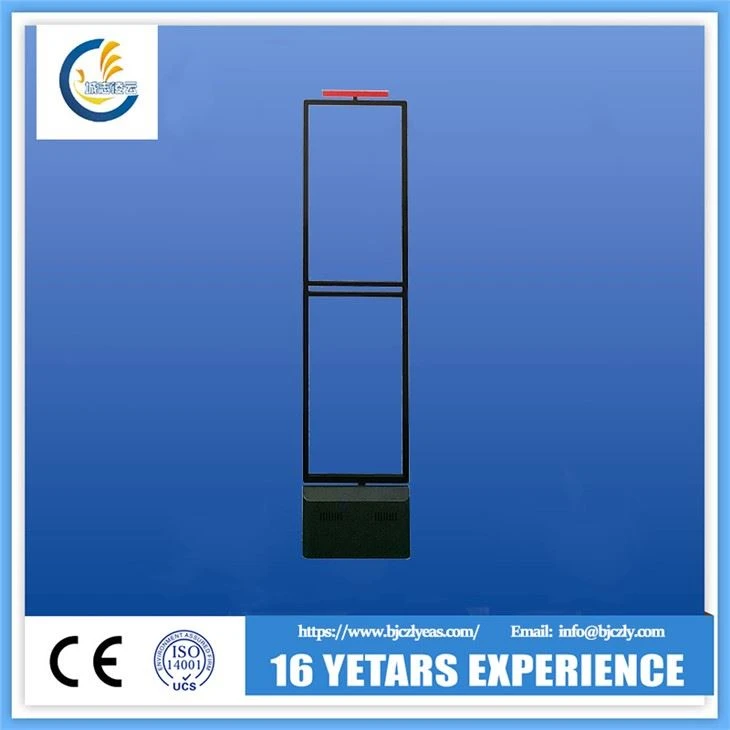
Before we dive into the calibration process, it's essential to understand what an Acrylic AM System is. The Acrylic AM System is a type of Electronic Article Surveillance (EAS) system commonly used in retail stores to prevent theft. It operates on the principle of magnetic field detection, where tags attached to merchandise trigger an alarm when they pass through the detection zone of the security gate. The acrylic construction of the system offers a sleek and modern appearance, making it an attractive option for retailers.

Importance of Calibration
Calibration is the process of adjusting and verifying the accuracy of a system. In the context of an Acrylic AM System, calibration is crucial for several reasons. Firstly, it ensures that the system can accurately detect the presence of tags within the detection zone. This is essential for preventing theft, as a poorly calibrated system may fail to detect tags, allowing thieves to steal merchandise without triggering an alarm. Secondly, calibration helps to minimize false alarms. A well - calibrated system can distinguish between legitimate tags and other magnetic objects, reducing the number of unnecessary alarms that can disrupt the shopping experience for customers. Finally, regular calibration extends the lifespan of the system by ensuring that all components are functioning within their optimal range.
The Calibration Process
The calibration process for an Acrylic AM System typically involves the following steps:
Step 1: Preparation
Before starting the calibration process, it's important to ensure that the system is installed correctly and all components are in good working condition. This includes checking the power supply, the connection between the security gates and the control unit, and the integrity of the acrylic panels. Additionally, make sure that the area around the security gates is clear of any magnetic interference, such as large metal objects or electronic devices.
Step 2: Initial Testing
Once the system is prepared, the next step is to perform an initial test. This involves passing a known tag through the detection zone of the security gate and verifying that the alarm is triggered. If the alarm does not sound, or if it sounds at an incorrect distance, this indicates that the system may need calibration.
Step 3: Adjusting the Sensitivity
The sensitivity of the Acrylic AM System determines how easily it can detect tags. If the sensitivity is set too low, the system may fail to detect tags, while if it is set too high, it may generate false alarms. To adjust the sensitivity, most Acrylic AM Systems are equipped with a control panel that allows you to increase or decrease the sensitivity level. Start by setting the sensitivity to a medium level and then perform a series of tests using different tags at various distances from the security gate. Based on the results of these tests, fine - tune the sensitivity until the system can accurately detect tags without generating false alarms.
Step 4: Checking the Detection Range
The detection range of the Acrylic AM System refers to the distance from the security gate within which tags can be detected. To check the detection range, place a tag at different distances from the security gate and record the distance at which the alarm is triggered. The detection range should be consistent across both sides of the security gate. If there are significant differences in the detection range, this may indicate a problem with the alignment or calibration of the system.
Step 5: Verifying the Alarm Function
In addition to detecting tags, the Acrylic AM System should also be able to trigger an appropriate alarm when a tag is detected. There are different types of alarms, including audible alarms and visual alarms. During the calibration process, verify that the alarm function is working correctly by passing a tag through the detection zone and ensuring that the alarm is activated. You can also test the volume and intensity of the audible alarm to ensure that it is loud enough to be heard in the store environment.
Step 6: Final Testing
After making all the necessary adjustments, perform a final series of tests to ensure that the system is functioning correctly. This includes testing the system with a variety of tags, at different angles and distances from the security gate. Additionally, test the system under different environmental conditions, such as high - traffic periods and different lighting conditions, to ensure that it remains reliable.
Related Products
As a supplier, we offer a range of Acrylic AM Systems and related products. For example, our [Clothing and supermarket anti - theft systems]( /eas - system/eas - am - system/am - 58khz - retail - store - security - system - gate.html) are designed specifically for the retail industry, providing effective theft prevention solutions. Our [EAS AM System With Remote Control]( /eas - system/eas - am - system/eas - am - system - with - remote - control.html) allows for convenient operation and monitoring of the system, while the [EAS Am Security Gate System]( /eas - system/eas - am - system/eas - am - security - gate - plexiglas - system.html) features a durable acrylic construction for long - term use.
Contact for Procurement
If you are interested in our Acrylic AM Systems or would like to learn more about the calibration process, we encourage you to contact us for a detailed discussion. Our team of experts is ready to assist you in choosing the right system for your needs and ensuring that it is properly calibrated and maintained. Whether you are a small boutique or a large supermarket, we have the solutions to meet your security requirements.
References
- Electronic Article Surveillance (EAS) Handbook, Industry Standard Publication
- Acrylic AM System User Manual, Manufacturer's Documentation