

The Electronic Article Surveillance (EAS) RF Mono System is a highly effective anti - theft solution widely used in various retail environments, especially clothing stores. As a supplier of the EAS RF Mono System, I will walk you through the installation process of this system step by step.
Pre - installation Preparation
Before starting the installation, it is essential to conduct a thorough site survey. This involves measuring the entrance and exit areas of the store where the EAS system will be installed. The width of the passageway is a crucial factor as it determines the appropriate model and configuration of the EAS RF Mono System. For instance, if the passage is too wide, the system may not be able to detect the tags accurately.
You also need to check the power supply at the installation site. Ensure that there is a stable electrical outlet nearby, with the correct voltage and amperage requirements. In most cases, the EAS RF Mono System operates on standard 110 - 220V AC power, but it's always best to double - check the product specifications.
Another important aspect is to identify any potential sources of interference. Electronic devices such as large speakers, fluorescent lights, or other high - power electrical equipment can disrupt the RF signals of the EAS system. Try to keep the installation area away from these interference sources as much as possible.
Unpacking and Inspection
Once you have completed the site survey, it's time to unpack the EAS RF Mono System components. Carefully remove the antennas, control units, and any other accessories from the packaging. Inspect each item for any visible damage during transit. If you find any damaged parts, contact the supplier immediately for replacement.
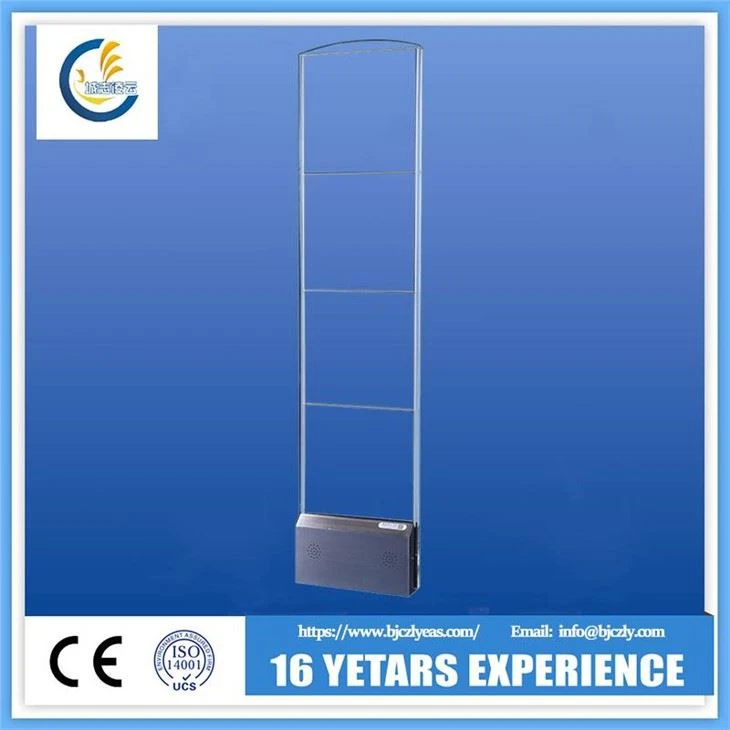
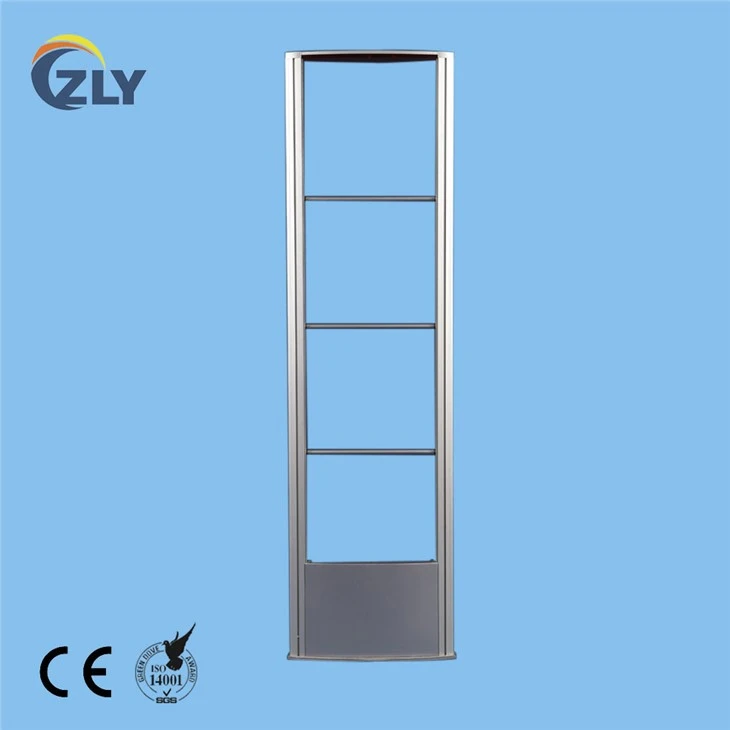
The main components of the EAS RF Mono System usually include the RF Mono Security System For Clothing Store RF Mono Security System For Clothing Store, which consists of two antennas and a control unit. The antennas are responsible for emitting and receiving RF signals, while the control unit processes the signals and triggers the alarm when a tagged item passes through the detection area.
Mounting the Antennas
The next step is to mount the antennas. First, determine the optimal height for mounting. Generally, the antennas should be installed at a height of about 1.5 - 1.8 meters from the floor. This height ensures that the RF signals cover the typical height range of customers and their shopping items.
Use the provided mounting brackets and screws to attach the antennas to the wall or the support structure. Make sure the antennas are installed vertically and parallel to each other. A misaligned installation can lead to uneven signal coverage and reduced detection accuracy.
The distance between the two antennas is also critical. For the EAS RF Mono System, the recommended distance between the antennas is usually between 0.8 - 1.2 meters, depending on the specific model and the width of the passageway. You can adjust the distance according to the site conditions and the requirements of the store.
Connecting the Components
After mounting the antennas, it's time to connect them to the control unit. Use the provided cables to establish the connection between the antennas and the control unit. Make sure the cables are securely plugged in to avoid any loose connections that could cause signal loss.
Next, connect the control unit to the power supply. Plug the power cord of the control unit into the electrical outlet. Before turning on the power, double - check all the connections to ensure they are correct and secure.
System Configuration
Once the system is powered on, you need to configure the EAS RF Mono System according to the specific needs of the store. The control unit usually has a user - friendly interface that allows you to adjust various settings such as sensitivity, alarm volume, and detection mode.
The sensitivity setting determines how easily the system detects the RF tags. You can adjust the sensitivity based on the type of tags used in the store and the level of security required. For example, if you are using high - quality tags, you may be able to set the sensitivity slightly lower to reduce false alarms.
The alarm volume can be adjusted to a suitable level so that it can be heard clearly in the store but not cause excessive noise. You can also choose between different detection modes, such as normal mode, which is suitable for most retail environments, and anti - tailgating mode, which is designed to prevent multiple people from passing through the detection area simultaneously without being detected.
Testing the System
After configuring the system, it's crucial to conduct a comprehensive test to ensure that it is working properly. Use a sample RF tag to pass through the detection area between the antennas. The system should trigger an alarm immediately when the tagged item crosses the detection zone.
Test the system from different angles and positions to ensure that the detection coverage is uniform. If you find any areas where the system fails to detect the tag, you may need to adjust the antenna position, sensitivity settings, or check for any sources of interference.
Tagging the Merchandise
Once the system is tested and working correctly, it's time to start tagging the merchandise. There are various types of RF tags available, including hard tags and soft labels. Hard tags are usually used for high - value items such as clothing with a high risk of theft, while soft labels can be attached to smaller or more flexible items.
Train your store staff on how to properly attach and remove the tags. Incorrect tagging can lead to false alarms or undetected thefts. Make sure the tags are placed in a visible and accessible position on the merchandise so that they can be easily detected by the EAS system.
Integration with Other Systems (Optional)
In some cases, you may want to integrate the EAS RF Mono System with other security systems in the store, such as CCTV cameras or access control systems. This can provide a more comprehensive security solution.
If you plan to integrate the EAS system with other systems, consult with a professional technician or the supplier for guidance. They can help you ensure that the integration is seamless and that the systems work together effectively.
Maintenance and Support
After the installation is complete, it's important to provide regular maintenance for the EAS RF Mono System. This includes cleaning the antennas regularly to remove any dust or debris that may affect the signal quality, checking the connections for tightness, and testing the system periodically to ensure its continued functionality.
As a supplier, we offer comprehensive support services for our EAS RF Mono System. If you encounter any problems or have any questions during the installation or operation of the system, our technical support team is always ready to assist you.
Conclusion
The installation of the EAS RF Mono System is a process that requires careful planning, proper execution, and thorough testing. By following the steps outlined above, you can ensure that the system is installed correctly and provides effective anti - theft protection for your clothing store.
If you are interested in purchasing our EAS RF Mono System or have any questions about the installation process, please feel free to contact us for further information and to discuss your specific needs. We are committed to providing high - quality products and excellent customer service to help you protect your business from theft.
References
- EAS Technology Handbook. A comprehensive guide to Electronic Article Surveillance technology, including RF - based systems.
- Retail Security Best Practices. Industry - specific guidelines on implementing effective security solutions in retail environments.