

As a reliable supplier of EM Deactivators, I am often asked about the installation process of these important devices. In this blog post, I will guide you through the steps on how to install an EM Deactivator effectively, ensuring that you can make the most of this security solution for your business.
Understanding EM Deactivators
Before diving into the installation process, it's crucial to understand what an EM Deactivator is and how it functions. EM (Electromagnetic) Deactivators are an integral part of Electronic Article Surveillance (EAS) systems, commonly used in libraries, retail stores, and other establishments to prevent theft. These devices work by deactivating the electromagnetic tags attached to items, allowing them to pass through the EAS gates without triggering an alarm.

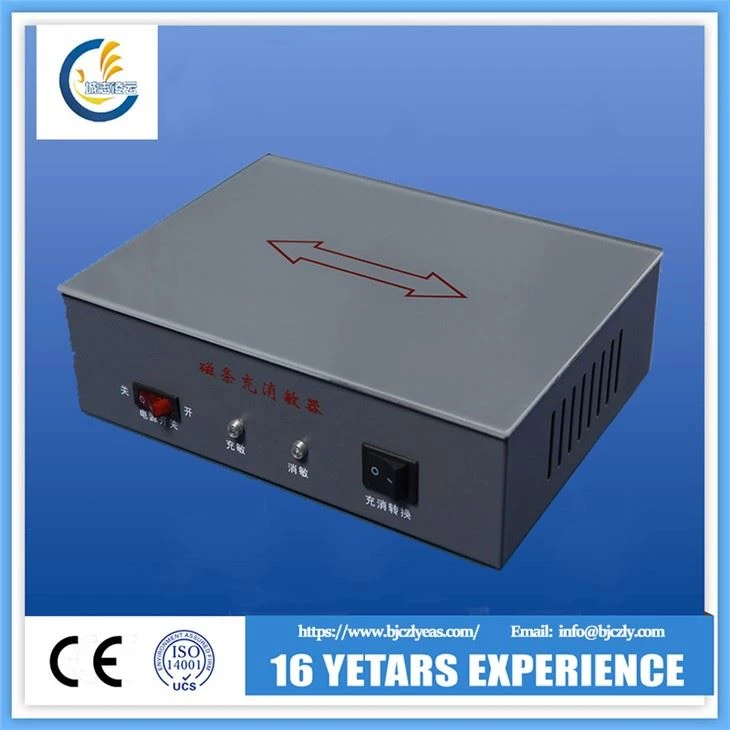
There are different types of EM Deactivators available in the market, each designed to meet specific needs. For instance, you can find Library Security Em System Security Em System, which is tailored for library environments, and Em Deactivator and Checker in Unit, which combines deactivation and checking functions in one unit.
Pre - installation Preparations
- Location Selection
The first step in installing an EM Deactivator is to choose the right location. The ideal spot should be easily accessible for your staff, preferably near the point of sale or the exit area. In a library, it could be placed at the circulation desk. Make sure the area is well - lit and free from any potential sources of electromagnetic interference, such as large electrical appliances or metal objects. - Power Supply
Check the power requirements of your EM Deactivator. Most models operate on standard electrical outlets, but it's essential to verify this. Ensure that the power supply in the chosen location is stable and can handle the device's power consumption. You may also want to consider using a surge protector to safeguard the device from power fluctuations. - Read the Manual
Every EM Deactivator comes with a detailed user manual. It is highly recommended that you thoroughly read the manual before starting the installation process. The manual will provide specific instructions regarding the installation steps, safety precautions, and troubleshooting tips.
Installation Steps
- Unpacking the Device
Carefully unpack the EM Deactivator from its packaging. Check for any visible damage during transit. If you notice any issues, contact our customer support immediately. Inside the package, you should find the deactivator unit, power cord, and possibly some additional accessories depending on the model. - Mounting the Device
Some EM Deactivators are designed to be mounted on a wall, while others can be placed on a countertop. If it's a wall - mountable device, use the provided mounting brackets and screws. Make sure to follow the instructions in the manual to ensure proper alignment and stability. For countertop models, simply place the device on a flat, stable surface. - Connecting the Power Cord
Once the device is in place, connect the power cord to the EM Deactivator. Plug the other end of the cord into the electrical outlet. Before turning on the power, double - check all the connections to ensure they are secure. - Initial Setup
Power on the EM Deactivator. Depending on the model, you may need to perform some initial setup steps. This could include adjusting the sensitivity settings, setting up the display options, or configuring any additional features. Refer to the user manual for detailed instructions on how to perform these setup tasks. - Testing the Device
After the initial setup, it's time to test the EM Deactivator. Use a sample item with an EM tag attached. Pass the item through the deactivator and then through the EAS gates. If the device is working correctly, the EAS gates should not trigger an alarm. If the alarm goes off, there may be an issue with the deactivation process. Check the settings, the tag placement, and the deactivator's functionality.
Troubleshooting Common Installation Issues
- Device Not Powering On
If the EM Deactivator does not power on, first check the power cord connections. Make sure the cord is properly plugged into both the device and the electrical outlet. You can also try using a different outlet to rule out any issues with the power supply. If the problem persists, there may be an internal fault with the device, and you should contact our technical support team. - Incorrect Deactivation
If the EM Deactivator is not deactivating the tags correctly, check the sensitivity settings. The sensitivity may be set too low or too high. Adjust the settings according to the instructions in the manual and test the device again. Also, ensure that the tags are being placed correctly on the deactivator surface. - Interference Issues
If the EAS gates are triggering false alarms even after proper deactivation, there may be interference in the area. Check for any nearby sources of electromagnetic interference, such as fluorescent lights or electronic equipment. Try relocating the deactivator or the EAS gates to a different area if possible.
Maintenance and Best Practices
- Regular Cleaning
Keep the EM Deactivator clean to ensure optimal performance. Use a soft, dry cloth to wipe the surface of the device. Avoid using harsh chemicals or abrasive materials that could damage the device. - Periodic Testing
Perform regular tests on the EM Deactivator using sample tagged items. This will help you detect any potential issues early and ensure that the device is working effectively. - Software Updates
If your EM Deactivator has software - based features, make sure to keep the software up - to - date. Check our official website regularly for any available software updates and follow the instructions to install them.
Conclusion
Installing an EM Deactivator is a relatively straightforward process if you follow the proper steps and guidelines. By choosing the right location, preparing adequately, and carefully following the installation and setup instructions, you can ensure that your EM Deactivator functions effectively and provides reliable security for your business.
If you are interested in purchasing an Em Deactivator for Library or any other type of EM Deactivator, we are here to assist you. Our team of experts can provide you with detailed product information, help you choose the right model for your needs, and offer support throughout the installation process. Contact us today to start a purchase negotiation and enhance the security of your establishment.
References
- Manufacturer's User Manuals for EM Deactivators
- Industry Best Practices for Electronic Article Surveillance Systems