

EAS (Electronic Article Surveillance) RF Mono Systems have become integral to modern retail security, offering an effective and reliable way to prevent theft and protect merchandise. As a supplier of EAS RF Mono Systems, I am often asked about the installation process. In this blog post, I will guide you through the steps of installing an EAS RF Mono System in a retail store, ensuring that you can set up your security system with confidence.
Step 1: Site Assessment
Before you begin the installation, it's crucial to conduct a thorough site assessment. This step will help you determine the best locations for the EAS antennas and ensure optimal performance of the system.
- Measure the Entrance: Measure the width of the store entrance where the EAS antennas will be installed. The standard width for most EAS RF Mono Systems is between 3 to 5 feet, but some systems can accommodate wider entrances. Make sure to note any obstructions such as columns, display cases, or automatic doors that could interfere with the signal.
- Check the Flooring: The type of flooring can affect the performance of the EAS system. Metal or conductive flooring may cause signal interference, so it's important to choose a location where the flooring is non - conductive. If you have metal flooring, you may need to consult with a professional to find a suitable solution.
- Evaluate the Traffic Flow: Observe the traffic flow in and out of the store. The EAS antennas should be installed in a way that allows customers to pass through easily without feeling crowded. Avoid placing the antennas too close to checkout counters or other high - traffic areas that could cause congestion.
Step 2: Select the Right Equipment
As a supplier, I offer a range of EAS RF Mono Systems to meet different retail needs. When selecting the equipment, consider the following factors:
- System Compatibility: Ensure that the EAS RF Mono System you choose is compatible with the tags and labels you plan to use. Different systems may require specific types of tags, so it's important to check the compatibility before making a purchase.
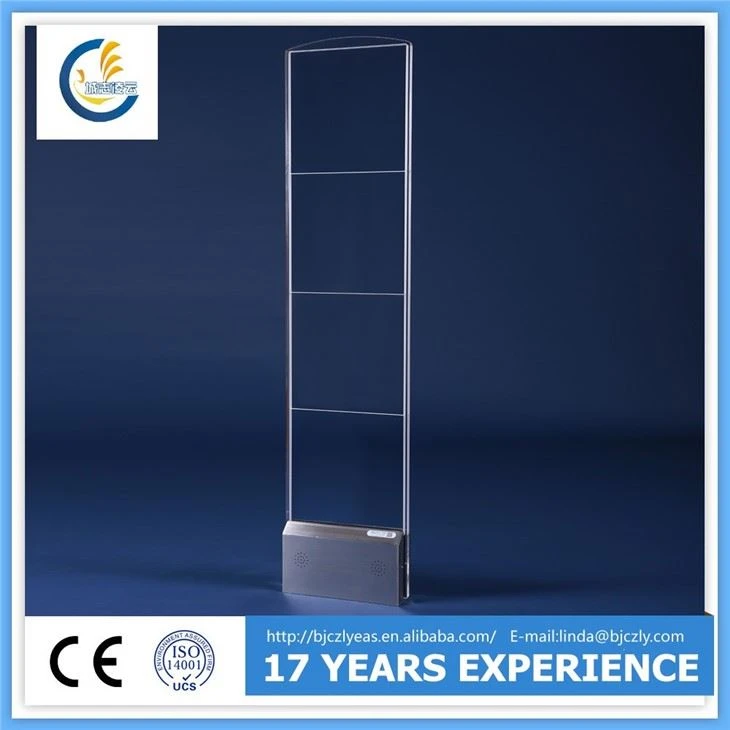
- Antenna Design: There are various antenna designs available, including acrylic and metal enclosures. The RF Acrylic Mono System is a popular choice for its sleek and modern appearance, which can blend well with the store's decor. On the other hand, metal antennas may offer more durability and protection.
- Signal Strength: The signal strength of the EAS system is crucial for detecting tags accurately. Choose a system with adjustable signal strength to ensure optimal performance in different store environments.
Step 3: Mount the Antennas
Once you have completed the site assessment and selected the right equipment, it's time to mount the antennas.
- Prepare the Mounting Surface: Clean the mounting surface where the antennas will be installed to ensure a secure attachment. If you are mounting the antennas on a wall, make sure the wall is strong enough to support the weight of the antennas.
- Position the Antennas: Place the antennas at the desired locations on the entrance, ensuring that they are parallel to each other and at the correct height. The standard height for EAS antennas is between 3 to 5 feet from the floor, but this may vary depending on the system and the type of merchandise you are protecting.
- Secure the Antennas: Use the provided mounting hardware to secure the antennas to the wall or other mounting surface. Make sure the antennas are firmly attached and level to ensure proper signal transmission.
Step 4: Connect the Antennas to the Controller
After mounting the antennas, you need to connect them to the controller.
- Locate the Controller: Place the controller in a secure and accessible location, such as a backroom or a storage area. The controller is the brain of the EAS system, responsible for processing the signals from the antennas and triggering the alarm when a tagged item passes through.
- Connect the Cables: Use the provided cables to connect the antennas to the controller. Make sure the connections are tight and secure to prevent signal loss or interference.
- Power On the System: Once the antennas are connected to the controller, plug the controller into a power outlet and turn it on. The system will perform a self - test to ensure that all components are working properly.
Step 5: Configure the System Settings
After powering on the system, you need to configure the settings to meet your specific requirements.
- Alarm Volume and Tone: Adjust the alarm volume and tone to a level that is audible but not too disruptive. You may also choose different alarm tones to distinguish between different types of alarms, such as a continuous tone for theft detection and a beeping tone for system malfunctions.
- Sensitivity Settings: Set the sensitivity of the system based on the type of merchandise you are protecting and the level of security you require. Higher sensitivity settings will detect smaller tags but may also increase the likelihood of false alarms.
- Zone Settings: Some EAS RF Mono Systems allow you to divide the entrance into multiple zones. This can be useful for monitoring different areas of the entrance or for detecting tags in specific locations.
Step 6: Test the System
Before putting the EAS RF Mono System into operation, it's important to test it thoroughly to ensure that it is working correctly.
- Tag Detection Test: Use a sample tag to test the system's ability to detect tags. Walk through the entrance with the tag and make sure the alarm is triggered. Repeat the test from different angles and distances to ensure consistent detection.
- False Alarm Test: Check for false alarms by walking through the entrance without a tag. If the alarm is triggered, adjust the sensitivity settings or check for any sources of interference.
- System Performance Test: Monitor the system's performance over a period of time to ensure that it is reliable and accurate. Keep a record of any alarms and investigate any false alarms or missed detections.
Step 7: Train Your Staff
Once the EAS RF Mono System is installed and tested, it's important to train your staff on how to use and maintain the system.
- System Operation: Train your staff on how to operate the system, including how to turn it on and off, adjust the settings, and respond to alarms.
- Tag Application: Teach your staff how to apply the tags and labels correctly to the merchandise. Improper tag application can result in missed detections or false alarms.
- System Maintenance: Provide your staff with basic maintenance instructions, such as cleaning the antennas and checking the cables for damage. Regular maintenance will help ensure the longevity and performance of the system.
Why Choose Our EAS RF Mono System?
Our EAS RF Mono System offers several advantages over other systems on the market. Firstly, it is highly reliable, with a proven track record of accurately detecting tags and preventing theft. Secondly, our system is easy to install and configure, which means you can have it up and running in no time. Thirdly, we offer a wide range of tags and labels to suit different types of merchandise, ensuring that you can find the right solution for your store.

If you are interested in purchasing an EAS RF Mono System for your retail store, or if you have any questions about the installation process, please feel free to contact us. We have a team of experts who can provide you with personalized advice and support to help you choose the right system for your needs. Our goal is to help you enhance the security of your retail store and protect your valuable merchandise.
References
- EAS Industry Standards and Guidelines.
- Retail Security Best Practices Manual.
- Product Manuals for EAS RF Mono Systems.