

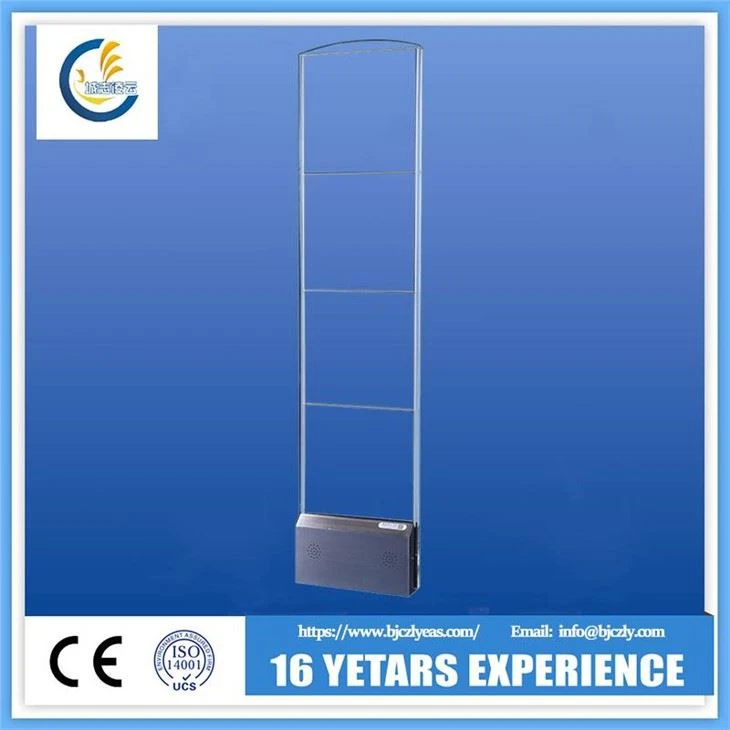
As a supplier of RF Mono Security Gates, I understand the significance of these systems in maintaining security and preventing theft in various commercial settings. RF Mono Security Gates are widely used in retail stores, libraries, and other locations to detect unauthorized removal of tagged items. However, to ensure their optimal performance and longevity, proper maintenance is essential. In this blog post, I will share some valuable tips on how to maintain RF Mono Security Gates effectively.
Regular Cleaning
One of the simplest yet most crucial maintenance tasks for RF Mono Security Gates is regular cleaning. Dust, dirt, and debris can accumulate on the sensors and other components of the gates over time, which can interfere with their functionality. Use a soft, dry cloth to wipe down the exterior of the gates regularly. For more thorough cleaning, you can use a mild cleaning solution and a non - abrasive sponge to clean the surfaces. Avoid using harsh chemicals or abrasive materials, as these can damage the gates' finish and internal components.
Inspection of Physical Components
Periodically inspect the physical components of the RF Mono Security Gates. Check for any signs of damage, such as cracks, dents, or loose parts. Loose screws or brackets can cause the gates to become unstable, which may affect their ability to detect tags accurately. If you notice any damage, it's important to address it promptly. Tighten loose screws and brackets, and replace any damaged parts as soon as possible. This will not only ensure the proper functioning of the gates but also extend their lifespan.
Sensor Calibration
The sensors in RF Mono Security Gates need to be calibrated regularly to maintain their accuracy. Over time, factors such as environmental changes, electrical interference, and normal wear and tear can cause the sensors to drift out of calibration. Most modern RF Mono Security Gates come with built - in calibration features that allow you to perform self - calibration. Follow the manufacturer's instructions carefully when calibrating the sensors. If you're unsure how to calibrate the sensors, or if you encounter any issues during the calibration process, it's advisable to contact a professional technician.
Check the Power Supply
A stable power supply is essential for the proper operation of RF Mono Security Gates. Check the power cords and plugs regularly for any signs of damage, such as fraying or exposed wires. Make sure the gates are connected to a reliable power source and that the power supply is within the recommended voltage range. If you experience any power - related issues, such as intermittent operation or complete failure, check the circuit breaker or fuse box to ensure that there are no tripped breakers or blown fuses.
Software Updates
Many RF Mono Security Gates are equipped with software that controls their functionality. Manufacturers often release software updates to improve performance, add new features, and address security vulnerabilities. Check the manufacturer's website regularly for software updates for your specific model of RF Mono Security Gate. Follow the instructions provided by the manufacturer to install the updates correctly. Keeping the software up - to - date will ensure that your gates are operating at their best and are protected against the latest threats.

Test the System Regularly
Regular testing of the RF Mono Security Gate system is crucial to ensure its effectiveness. Use test tags provided by the manufacturer to test the gates' ability to detect tagged items. Walk through the gates with a test tag to see if the alarm is triggered. If the alarm does not sound, or if it sounds incorrectly, there may be an issue with the system. Check the sensors, calibration, and power supply to identify and resolve the problem. It's recommended to test the system at least once a week to ensure that it is working properly.
Environmental Considerations
The environment in which the RF Mono Security Gates are installed can have a significant impact on their performance. Avoid installing the gates in areas with high levels of electrical interference, such as near large motors, generators, or microwave ovens. Extreme temperatures and humidity can also affect the functionality of the gates. If the gates are installed in an area with harsh environmental conditions, consider using protective enclosures or climate - control systems to maintain a stable operating environment.
Staff Training
Proper training of your staff is essential for the effective use and maintenance of RF Mono Security Gates. Make sure your employees understand how the gates work, how to operate them correctly, and what to do in case of an alarm. Train them on the proper handling of tagged items and how to prevent false alarms. Regularly review the training with your staff to ensure that they are up - to - date on the latest procedures and best practices.
Troubleshooting
Even with proper maintenance, you may encounter occasional issues with your RF Mono Security Gates. Here are some common problems and their possible solutions:
- False Alarms: False alarms can be caused by a variety of factors, such as electrical interference, incorrect calibration, or damaged tags. Check the sensors for any signs of damage or interference, and recalibrate the system if necessary. Replace any damaged tags.
- No Alarm Activation: If the gates do not trigger an alarm when a tagged item passes through, check the power supply, sensors, and calibration. Make sure the test tags are working properly. If the problem persists, contact a professional technician.
- Intermittent Operation: Intermittent operation can be caused by loose connections, power issues, or software glitches. Check the power cords and connections, and restart the system. If the problem continues, check for software updates or contact a technician.
Conclusion
Maintaining RF Mono Security Gates is essential for ensuring their optimal performance and longevity. By following the tips outlined in this blog post, you can keep your gates in top condition and provide a high level of security for your business. Regular cleaning, inspection of physical components, sensor calibration, checking the power supply, software updates, and regular testing are all important aspects of maintenance. Remember to consider environmental factors and provide proper staff training. If you encounter any issues that you're unable to resolve on your own, don't hesitate to seek professional help.
If you're interested in purchasing high - quality RF Mono Security Gates or need more information about our products, please feel free to reach out to us. We offer a wide range of Clothing Store Anti - theft RF System Gate, EAS RF Mono Anti - theft System, and EAS RF Security System Products. Our team of experts is ready to assist you with your security needs and help you find the best solution for your business.
References
- Manufacturer's manuals for RF Mono Security Gates
- Industry best practices for electronic article surveillance (EAS) system maintenance