

Hey there! As a supplier of EM detectors, I've seen my fair share of issues with these nifty devices. One of the most common problems we get calls about is false readings. It can be super frustrating when your EM detector is giving you results that just don't seem right. But don't worry, I'm here to walk you through some steps to troubleshoot this issue.
First off, let's understand what an EM detector is and why false readings can be a big deal. EM detectors, like our EM Handheld Detector-EM Tester and EM Book Label Checker, are used to detect electromagnetic signals. They're widely used in libraries, retail stores, and other places to prevent theft. False readings can lead to unnecessary alarms, wasted time, and even customer dissatisfaction.
Check the Environment
The first thing you should do when you notice false readings is to take a look at the environment where the detector is placed. There are a lot of things in our modern world that can emit electromagnetic fields and interfere with your detector.
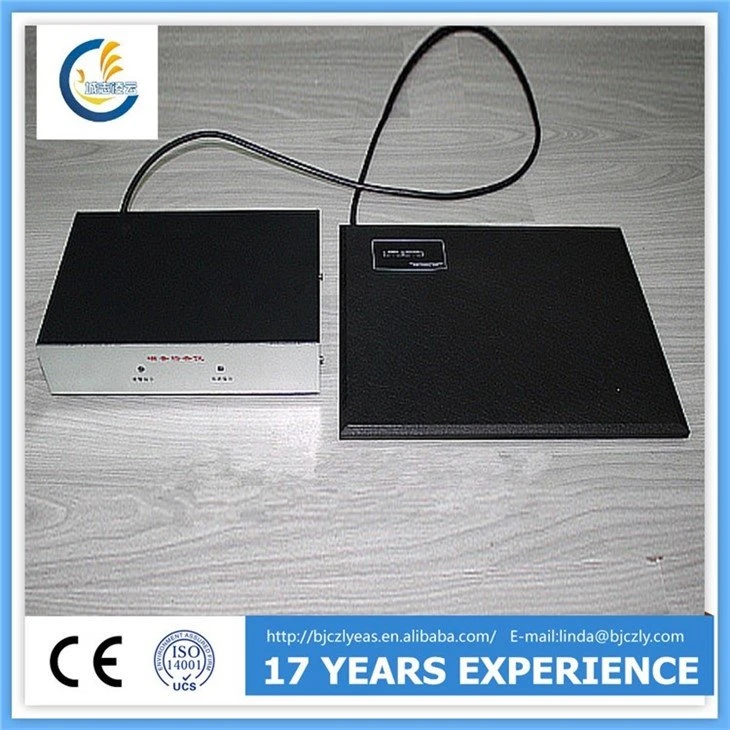
- Electrical Equipment: Devices like computers, monitors, and fluorescent lights can generate electromagnetic interference. If your detector is placed too close to these, it might pick up their signals and give false readings. Try moving the detector away from such equipment and see if the problem persists.
- Metal Objects: Metal can also affect the performance of an EM detector. Large metal structures, like filing cabinets or display racks, can reflect or absorb electromagnetic waves. Make sure there are no large metal objects in the immediate vicinity of the detector.
- Other Detectors: If you have multiple EM detectors in the same area, they might interfere with each other. Try turning off some of the detectors and see if the false readings stop. If they do, you might need to adjust the placement or settings of the detectors to minimize interference.
Calibration
Calibration is crucial for the accurate operation of an EM detector. Over time, the detector's sensors can drift, leading to false readings. Here's how you can calibrate your detector:
- Follow the Manufacturer's Instructions: Every detector is different, so it's important to follow the calibration procedure outlined in the user manual. This usually involves using a calibration tool or a known reference signal to adjust the detector's sensitivity.
- Regular Calibration: Make it a habit to calibrate your detector regularly. How often you need to do this depends on the usage and environment, but a good rule of thumb is to calibrate it at least once a month.
Check the Detector's Components
Sometimes, the problem might be with the detector itself. Here are some components you should check:
- Sensors: The sensors are the heart of the detector. If they're dirty or damaged, they can give false readings. Use a soft, dry cloth to clean the sensors gently. If you notice any physical damage, like cracks or scratches, you might need to replace the sensors.
- Antennas: Antennas are responsible for receiving and transmitting electromagnetic signals. Make sure they're properly connected and not bent or damaged. If you suspect an issue with the antennas, try replacing them.
- Battery: A low or faulty battery can also cause problems. Check the battery level and replace it if necessary. Make sure you're using the correct type of battery recommended by the manufacturer.
Software and Firmware
In today's digital age, many EM detectors come with software and firmware that can affect their performance. Here's what you can do:
- Update the Firmware: Manufacturers often release firmware updates to fix bugs and improve performance. Check the manufacturer's website for the latest firmware version and follow the instructions to update your detector.
- Check the Software Settings: Make sure the software settings on your detector are configured correctly. Incorrect settings can lead to false readings. Refer to the user manual for the recommended settings.
Testing and Verification
Once you've made some changes, it's important to test the detector to see if the false readings have stopped. Here's how you can do it:

- Use a Known Signal: If you have a calibration tool or a known reference signal, use it to test the detector. Make sure it's detecting the signal accurately and not giving any false readings.
- Real-World Testing: In addition to using a known signal, test the detector in a real-world scenario. Walk through the detector with a known item that should trigger an alarm and see if it works correctly.
Our All-in-One Solution
If you're still having trouble with false readings after trying all these steps, you might want to consider our Library EM All-in-one deactivator & activator. This all-in-one solution combines the functions of a detector, deactivator, and activator, and is designed to be highly accurate and reliable. It also comes with advanced features that can help minimize false readings.
Contact Us for More Help
If you're still struggling to troubleshoot your EM detector or if you have any other questions, don't hesitate to reach out to us. We're here to help you get the most out of your detector and ensure it's working properly. Whether you're looking to purchase a new detector or need some technical support, we're just a message away.
References
- "Electromagnetic Interference and Compatibility" by Henry W. Ott
- User manuals of our EM Handheld Detector-EM Tester, EM Book Label Checker, and Library EM All-in-one deactivator & activator.