

As a supplier of the EAS Aluminium AM System, I've witnessed firsthand the diverse needs of our customers, especially non - technical users. One of the most frequent questions we get is about the ease of use of our system. In this blog, I'll delve deep into this topic to provide a comprehensive understanding for those who might not be well - versed in the technical intricacies of anti - theft systems.
Understanding the EAS Aluminium AM System Basics
The EAS Aluminium AM System stands for Electronic Article Surveillance Aluminium Acousto - Magnetic System. It is a widely used anti - theft solution in retail stores, libraries, and other commercial settings. The system operates on the principle of acousto - magnetic technology, which detects a specific frequency emitted by security tags attached to the items on display or for sale.
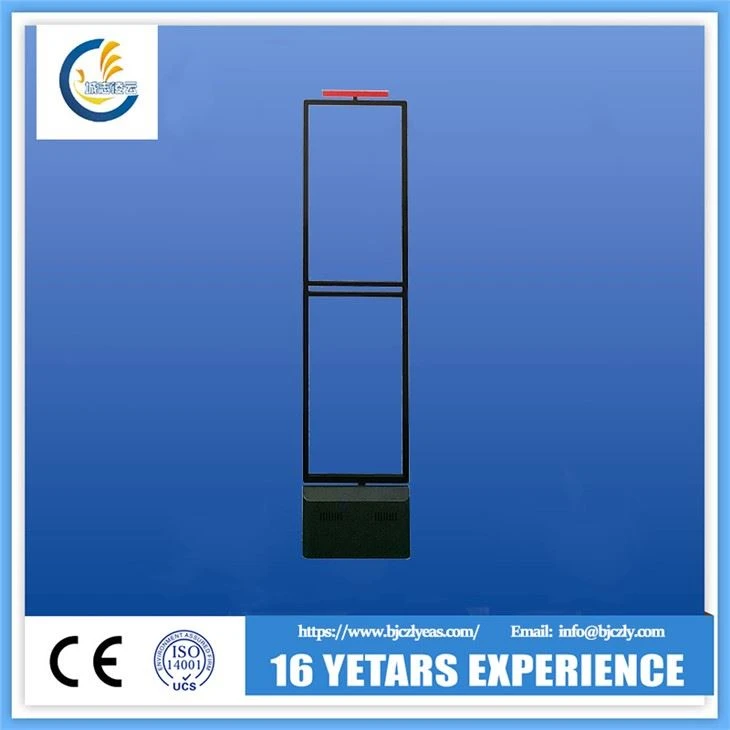
The core components of the system typically include sensors, security tags (such as the EAS Security System and 58Khz DR label), and a control unit. The sensors are usually installed at the entrances and exits of the protected area. When an item with an active security tag passes through the detection zone created by the sensors, an alarm is triggered, alerting store staff to a potential theft attempt.
Ease of Installation for Non - Technical Users
One of the significant advantages of the EAS Aluminium AM System when it comes to non - technical users is its relatively simple installation process.
First, the sensors are designed to be mounted easily. Most of our sensors, like the EAS AM Sensor For commodity Security, come with pre - drilled holes and mounting plates. Non - technical users can follow the step - by - step instructions provided in the user manual to position the sensors at the appropriate locations. The instructions are written in plain language, avoiding overly technical jargon. For example, it will mention exactly how far apart the sensors should be placed based on the width of the entrance or exit, and at what height for optimal detection.
The control unit is also straightforward to set up. It usually involves connecting the sensors to the control unit using the provided cables. The connection ports are clearly labeled, so even someone with limited technical knowledge can easily match the cables to the correct ports. Once the physical connections are made, the system can be powered on, and a basic self - test can be performed. The self - test function guides the user through a series of checks to ensure that the sensors are working correctly and that the system is calibrated properly.
User - Friendly Operation
After installation, the day - to - day operation of the EAS Aluminium AM System is designed to be as simple as possible for non - technical users.
The control panel of the system is intuitive. It has clearly marked buttons and indicators. For example, there are buttons for turning the system on and off, adjusting the sensitivity of the sensors, and silencing the alarm in case of a false trigger. The indicators show the status of the system, such as whether it is armed or disarmed, and if there are any faults detected.
The EAS AM System With Remote Control option further enhances the ease of operation. Non - technical users can operate the system from a distance, which is particularly useful in large stores where the control unit might be located far from the area where the user is standing. With just a press of a button on the remote, the system can be armed or disarmed, saving time and effort.

In addition, the system's software, if any, has a user - friendly interface. It presents information in a clear and organized manner. For example, it can generate reports on alarm triggers, which can be useful for store management to analyze theft patterns. The software also allows for easy configuration of system settings, such as setting different levels of sensitivity for different times of the day.
Maintenance and Troubleshooting
Maintenance of the EAS Aluminium AM System is also manageable for non - technical users.
Regular maintenance mainly involves keeping the sensors clean. Dust and debris on the sensors can interfere with the detection process, so a simple wipe - down with a clean, dry cloth is usually sufficient. The user manual provides clear instructions on how often the sensors should be cleaned and the proper way to do it.
In case of minor issues, the system has built - in troubleshooting features. For example, if the alarm is constantly going off without a valid reason, the control panel will display diagnostic codes. The user manual contains a detailed list of these codes and their corresponding solutions. Common issues like loose connections, low battery levels in the control unit, or interference from other electronic devices can be easily identified and resolved by following the troubleshooting guide.
Training and Support
We understand that not all non - technical users are comfortable with setting up and operating complex systems right away. That's why we offer comprehensive training and support services.
When a customer purchases the EAS Aluminium AM System from us, they have access to an online training portal. The portal contains video tutorials that walk the user through every step of the installation, operation, and maintenance process. These videos are presented in a clear and engaging way, making it easy for non - technical users to follow along.
In addition, our customer support team is available 24/7. Non - technical users can contact us via phone, email, or live chat if they encounter any problems or have questions. Our support representatives are well - trained to understand the user's concerns and provide simple, easy - to - follow solutions.
Conclusion
The EAS Aluminium AM System is designed with the needs of non - technical users in mind. Its easy installation process, user - friendly operation, manageable maintenance, and comprehensive training and support make it an ideal anti - theft solution for a wide range of businesses.
If you are interested in our EAS Aluminium AM System and would like to learn more about its features, pricing, or discuss a potential purchase, we encourage you to get in touch with us. Our team is ready to assist you in finding the best solution for your security needs.
References
- "Introduction to Electronic Article Surveillance Systems" - Industry Research Report
- "Acousto - Magnetic Technology in Anti - Theft Systems" - Technical Journal Article